
Two things shipped this month. The site you’re reading this on was rebuilt from scratch, and version 1.20 of LineItems is on the App Store.
Here’s what’s in both, and what I’m working on next.
A Fancy New Site!
The new site is built from scratch, for LineItems and nothing else — no template, nothing off the shelf.
It loads fast, and it was made by (yours truly) a Focus Puller who works in the industry.
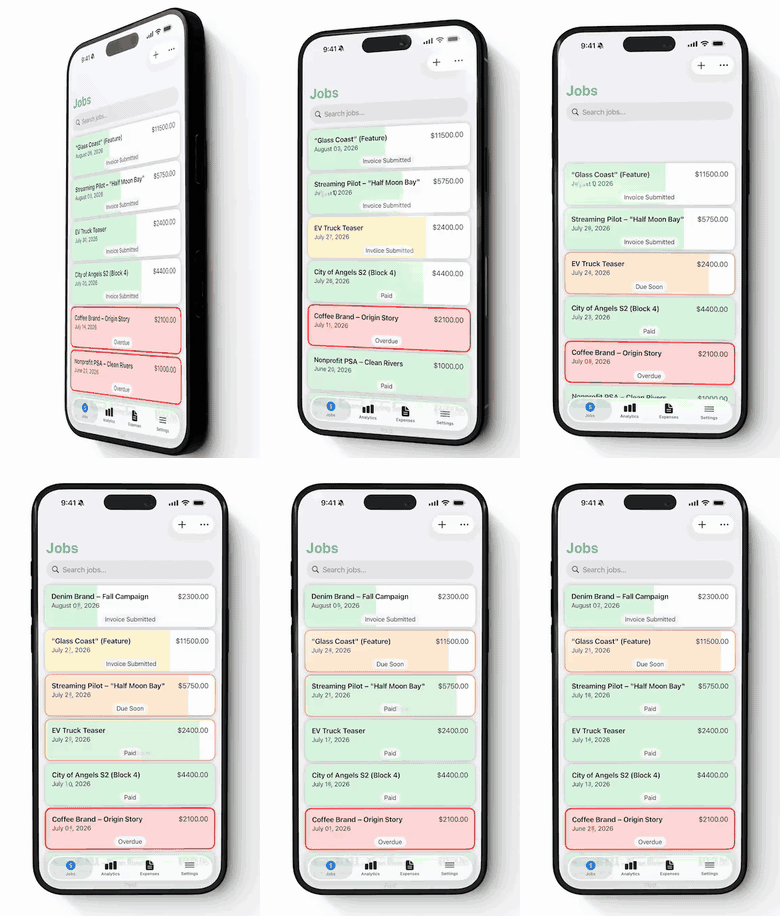
A few things worth clicking on if you haven’t looked yet:
- How It Works — the honest version of what the app does, in order, without the marketing fog.
- Guides — step-by-step walkthroughs. The CSV import guide is the one people ask about most.
- FAQ — the questions that actually arrive in my inbox.
Scroll the home page if you get a minute. There’s a filmstrip running down both edges that fills as you go, a slate that claps between sections, and a timecode bar along the bottom running in free run at 24 fps. None of it is necessary. I built it anyway.
What’s new in 1.20
This is the biggest release since the app launched. Seven things you’ll notice.
Overtime that matches your day
Every job and many markets calculate overtime differently, so let’s make it easy to adjust these thresholds. Choose when time and a half, double time and triple time each start, and LineItems works out the rest.
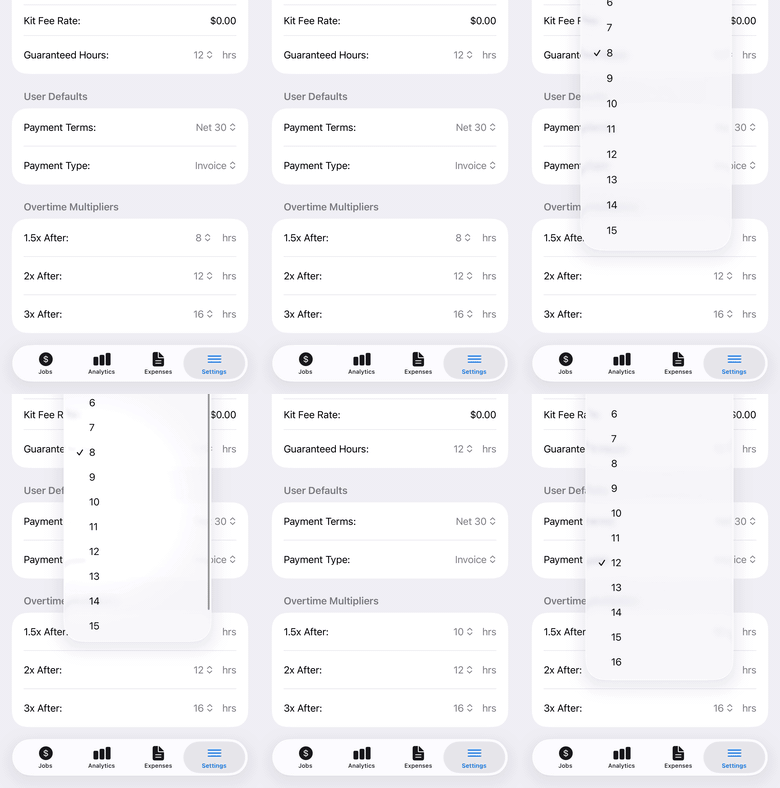
The same figures then carry through everywhere — your job total, your invoice, and your profit and loss export all read from one calculation. Set your bands once and the numbers agree with each other wherever you look.
A quicker way to type money
Rates and amounts throughout the app now fill in from the right, the way a
banking app does. Type 9, 5, 0, 0 and you get $95.00 — no decimal point
silliness.
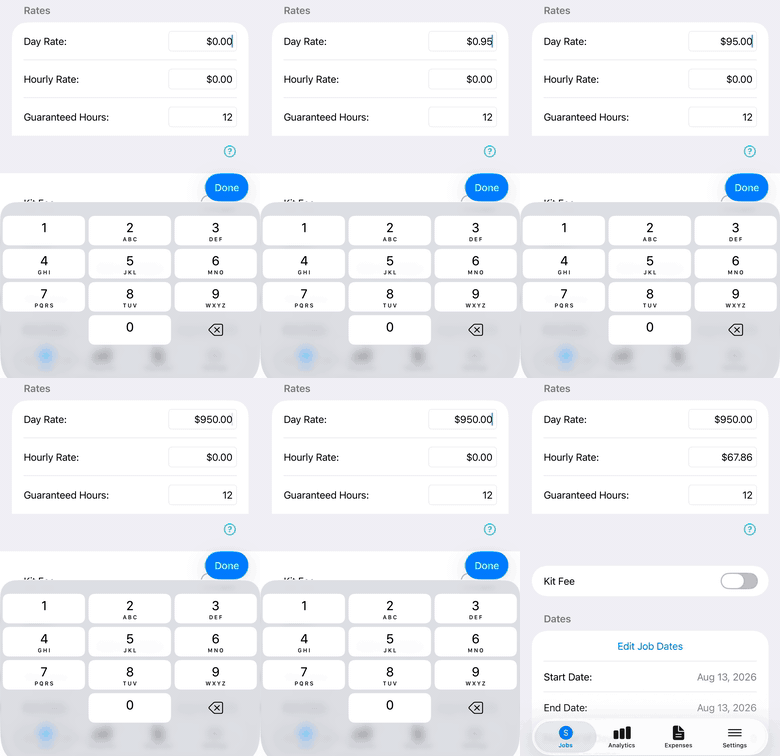
It applies to every money field in the app — day rates, kit fees, expenses, custom line items. Watch the hourly rate at the end: it works itself out the moment you put the keyboard away.
See how your rate is worked out
There’s a new question mark below Rates. Tap it and you get the arithmetic: how your hourly rate is derived from your day rate and your guaranteed hours, using your own overtime settings.
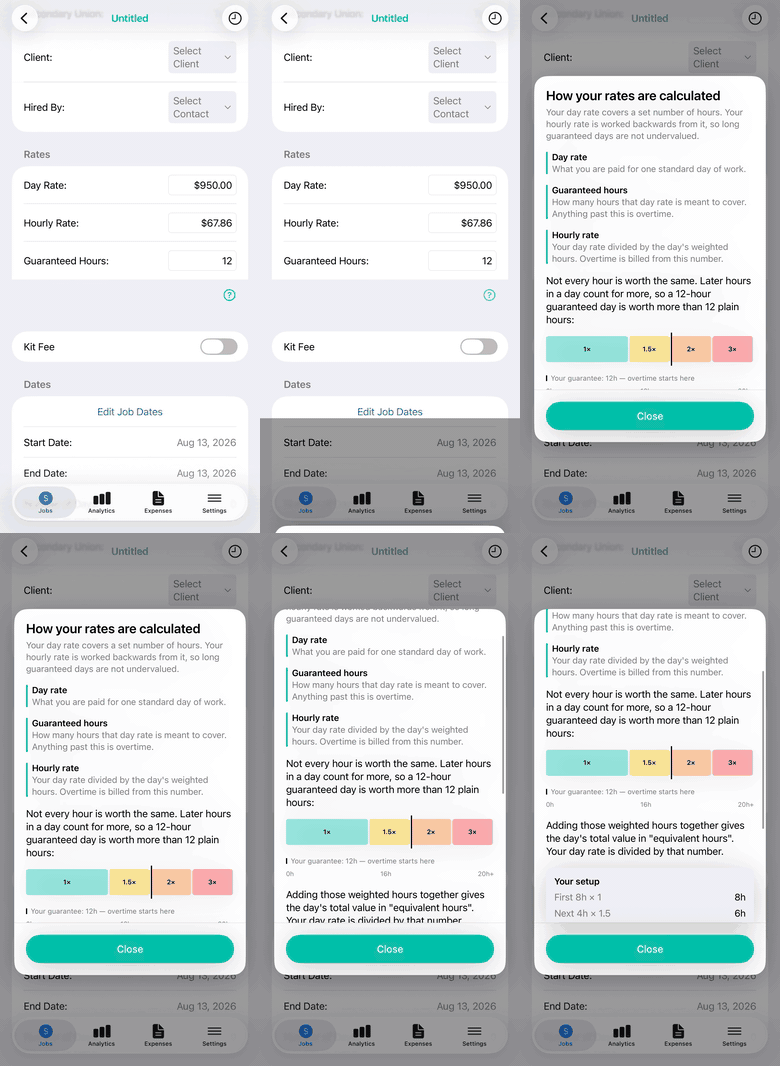
Worth a look even if you think you know. The number of people who have been quoted a day rate without ever working out what their hour is worth is higher than you’d guess.
The keyboard stays out of your way
Every keyboard and number pad has a “Done” button, and also, tapping anywhere on the screen puts the keyboard away. Small thing. You might not notice it, but that’s the point.
Clearer job statuses
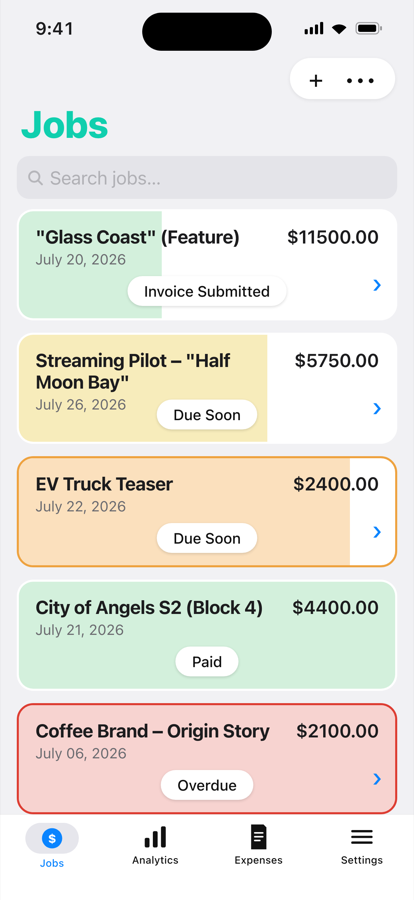
Due dates, the color on each job card, and your list filters all follow the same rules now. A job that reads as Due Soon in your list reads as Due Soon on its own screen and in your filters.
Faster and steadier
Your jobs and expenses lists do less work as you scroll and search, so both feel quicker on a long list. Beyond that, a great deal of care has gone into making LineItems more dependable throughout — the sort of work that’s invisible when it goes right, which is the point.
And a walkthrough, for anyone starting out
First job, first rate, first set of dates — the app now walks you through building your first job, a step at a time, and gets out of the way the moment you tap Skip.
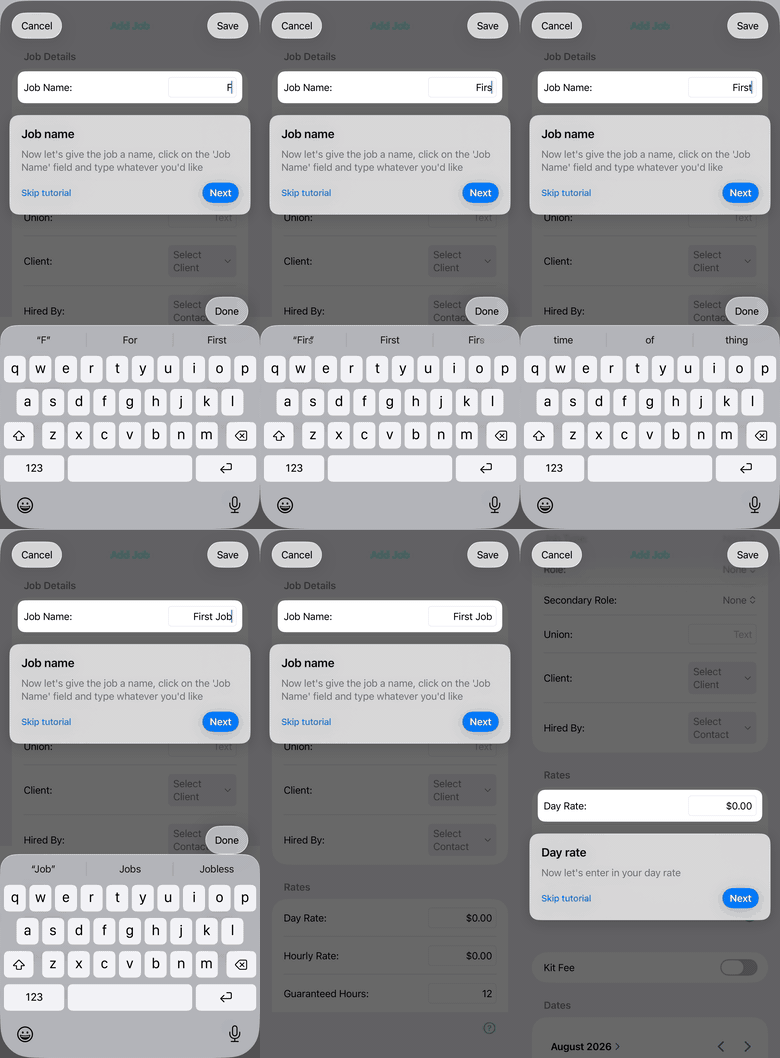
If you’re already using the app you won’t see this, but if you download it fresh after reading this 😉 you’ll see the walkthrough. This will expand in coming updates to cover more tutorials.
What I’m working on next: Auto-Call sheets
Here’s where I’d like your input.
The idea: you set Gmail to auto-forward your call sheet to a private email address owned by LineItems, and minutes later, the job is waiting in LineItems — production company, dates, location, call time(s) — no more data entry. If it’s the call sheet for day 2, that date gets added to the job automatically.
None of that is live yet. I’m building it now, and I’d rather get it right than get it out early — which is why I’m asking for your input before it’s finished.
Two questions, and I read every reply:
- If you forwarded a call sheet and it came back as a job, what would need to be filled in correctly for you to trust it? Rate? Dates? 100% accurate call times?
- What’s the most tedious piece of paperwork in your week that isn’t this?
Just hit reply. It comes straight to me.
Getting 1.20
It’s on the App Store now. If you have automatic updates on, you already have it (or will very soon) — open the app and you’ll get a short summary of what changed.
Thanks for reading, and for using the thing.
— Owen